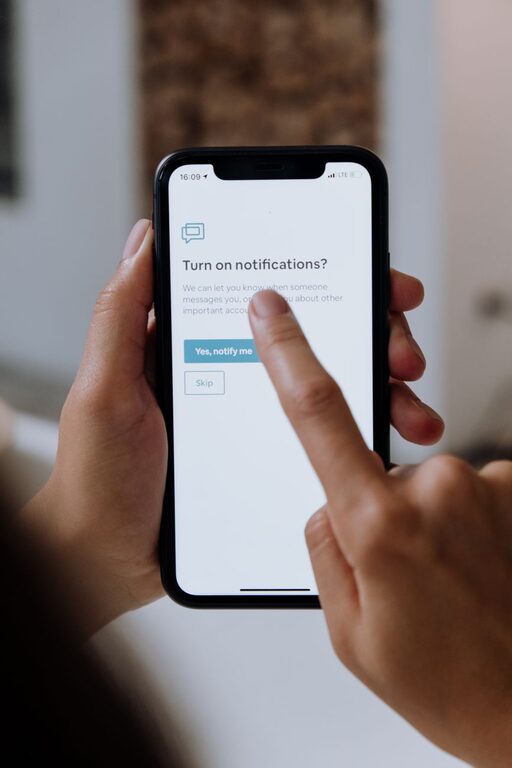
In today’s digital age, notifications from smartphones, apps, and other devices are constant companions. While they can be useful for staying connected and informed, they also have the potential to interrupt our focus and increase stress. Setting boundaries with notifications is an important step toward maintaining productivity and protecting your mental well-being.
This guide offers practical tips to help you regain control over your notifications and create a balanced digital environment.
Why Set Boundaries with Notifications?
Notifications can be attention stealers. Every ping or pop-up pulls your focus away from the task at hand, which can disrupt productivity and increase feelings of overwhelm. Over time, constant notifications can lead to anxiety and burnout.
By consciously managing how and when notifications reach you, you can reduce unnecessary distractions, improve your concentration, and enjoy more meaningful interaction with technology.
Assess Your Current Notification Habits
Before making changes, it’s helpful to understand your current notification landscape.
– Take Inventory: Review all the apps and devices that send you notifications.
– Identify High-Impact Alerts: Note which notifications interrupt you most often or cause stress.
– Define Your Priorities: Decide which notifications are truly important and which can be muted or disabled.
Knowing this will help you target the notifications that matter and eliminate those that don’t.
Practical Tips for Setting Notification Boundaries
1. Customize Notification Settings
Most devices and apps allow you to customize notification preferences.
– Turn Off Non-Essential Alerts: Disable notifications from apps that don’t require immediate attention.
– Use “Do Not Disturb” Mode: Schedule quiet hours when notifications are silenced, such as during work or sleep.
– Set Notification Priorities: Some platforms allow you to prioritize notifications from specific contacts or apps.
2. Group Notifications
Instead of receiving notifications instantly, group them to review later.
– Use Summary Features: Some smartphones offer notification summaries delivered at set times.
– Batch Checking: Set specific times during the day to check emails, social media, and messages.
3. Limit Notifications During Work Hours
Work productivity improves when interruptions are minimized.
– Silence Notifications When Focused: Use focus modes or productivity apps that block non-essential notifications.
– Inform Others of Your Availability: Let colleagues and friends know your work hours to reduce unexpected messages.
4. Manage Social Media Notifications
Social media can be a significant source of distraction.
– Turn Off Push Notifications: Disable real-time alerts to avoid constant interruptions.
– Check Social Apps Purposefully: Instead of responding to notifications immediately, schedule specific times to engage.
5. Separate Personal and Work Notifications
Keeping work and personal notifications distinct helps maintain work-life balance.
– Use Different Devices or Profiles: If possible, use separate devices or user profiles for work and personal activities.
– Customize Notification Sounds: Assign unique sounds to work and personal notifications to help you recognize them instantly.
6. Practice Mindful Response
When you receive a notification, pause before reacting.
– Ask if Immediate Action is Needed: Not every notification requires an instant reply.
– Avoid Multitasking: Focus on one thing at a time rather than switching between tasks due to alerts.
7. Regularly Review and Adjust Settings
Technology and priorities change. Make it a habit to revisit your notification settings every few weeks.
– Update Preferences: Remove notifications from apps you no longer use or that have become less relevant.
– Experiment with Different Settings: Find what balance works best for your lifestyle and work demands.
Tools and Features to Help Manage Notifications
Many devices and apps offer built-in tools to help manage your notification flow.
– Focus Assist / Do Not Disturb: Available on most smartphones and computers.
– Notification Summaries: Combine notifications into batches for scheduled review.
– Third-Party Apps: Use apps designed to block distractions or schedule notification delivery.
Explore these tools and tailor them to fit your routine and preferences.
Benefits of Setting Boundaries with Notifications
Creating notification boundaries can lead to meaningful improvements:
– Increased Productivity: Fewer distractions mean more efficient work.
– Improved Mental Health: Less constant stimulation reduces stress and anxiety.
– Better Sleep Quality: Limiting notifications at night helps you rest more deeply.
– Enhanced Relationships: Being present during conversations rather than distracted by alerts strengthens connections.
Final Thoughts
Notifications are a useful part of modern technology, but without boundaries, they can become disruptive. By assessing your current notification habits and implementing thoughtful strategies, you can create a digital environment that supports your goals and well-being.
Start small by customizing your settings and gradually build new habits. With intentional effort, you’ll find greater focus, reduced stress, and a healthier relationship with your devices.