
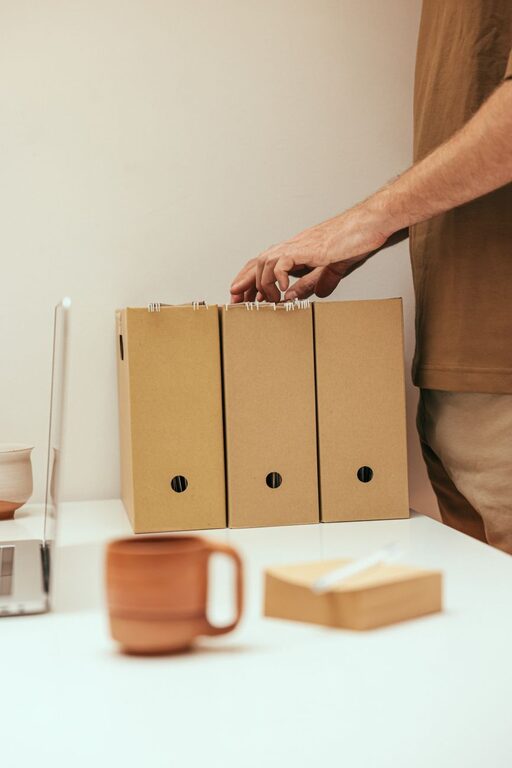
Keeping your computer files organized can save you time, reduce stress, and improve productivity. With so many documents, photos, and downloads accumulating over time, it’s easy to feel overwhelmed. Luckily, organizing your files doesn’t have to be complicated. In this post, we’ll share practical tips you can apply right away to keep your digital workspace neat and manageable.
Why Organizing Files Matters
When files are scattered or mislabeled, finding what you need can be frustrating. Disorganization can cause delays, lost documents, and even data duplication. By creating a consistent system, you’ll quickly locate important items and maintain a clutter-free computer.
Start With a Clean Slate
Before setting up a system, it helps to clear out unnecessary files.
– Delete duplicates: Use built-in tools or free apps to find duplicate files.
– Remove old files: Archive or delete files you no longer need.
– Empty the recycle bin: This reclaims valuable storage space.
This cleanup provides a fresh foundation to build your organized folder structure.
Create a Logical Folder Structure
A well-planned folder system is key to staying organized.
1. Categorize Your Files
Divide files into broad categories such as:
– Work or projects
– Personal documents
– Photos and media
– Downloads
– Software and installers
2. Use Subfolders
Within each category, create subfolders for specific topics or dates, for example:
– Work > Project A > Reports
– Photos > 2024 > Vacation
Subfolders help keep files grouped meaningfully without overcrowding one folder.
3. Keep Folder Names Clear and Consistent
Use clear, descriptive names and maintain a consistent naming style throughout. Avoid vague labels like “Misc” or “Stuff,” which make retrieval harder.
Develop a Clear Naming Convention
Proper file names make searching and sorting easier. Here are tips for effective naming:
– Include dates in YYYY-MM-DD format for chronological order.
– Use descriptive words about the content.
– Avoid spaces and special characters to ensure compatibility across systems (use underscores or hyphens instead).
– Keep names concise but informative.
Example: `2024-06-15_ProjectReport_FirstDraft.docx`
Use Tags and Metadata When Possible
Some operating systems and software allow you to tag files with keywords or add metadata. This can help you quickly filter and find related files without moving them physically.
Make Use of Search and Smart Folders
Modern computers offer powerful search features and the ability to create smart or saved searches. Use these tools to gather files of a certain type or date range without changing your folder setup.
Regularly Back Up Your Files
Organizing files is great, but having copies is essential. Implement a backup routine using:
– External hard drives
– Cloud storage services
– Automated backup software
Backups protect you from data loss in case of hardware failure or accidental deletion.
Schedule Routine Maintenance
Set aside time monthly or quarterly to:
– Review and reorganize new files
– Delete unnecessary items
– Update folder structures if needed
Routine maintenance keeps your system efficient and prevents clutter buildup.
Use File Management Software If Needed
If you handle many files or large projects, dedicated file management tools can help with tagging, version control, and bulk renaming. Choose software that fits your needs and is easy to use.
Tips for Desktop and Downloads Folders
The desktop and downloads folder often become dumping grounds for files. Avoid this by:
– Immediately moving downloads to their proper folders.
– Keeping the desktop minimal with only frequently used shortcuts.
– Regularly cleaning these areas to prevent clutter.
Final Thoughts
Organizing your computer files may seem time-consuming at first, but the benefits are worth it. With a clear folder structure, consistent naming, and simple maintenance habits, you’ll find it easier to manage your digital files. Start small, be consistent, and enjoy a streamlined computer experience!